WhatsApp AI Appointment System for Clinics | WpAsis
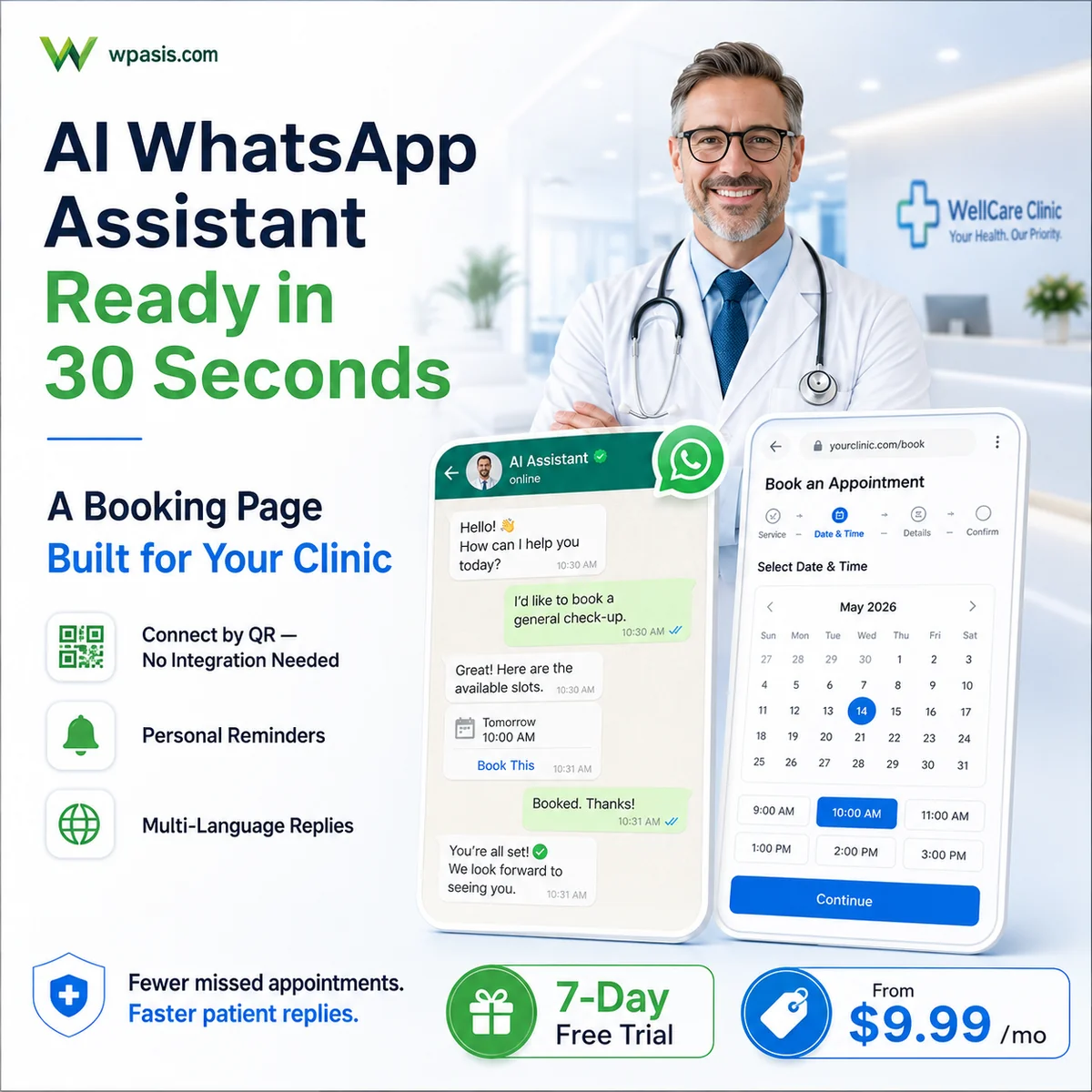
WpAsis is a WhatsApp AI-powered appointment management system designed for clinics and healthcare providers. It automates patient bookings, sends automatic reminders, and handles cancellations — all through WhatsApp. At $9.99/month with a 7-day free trial, it replaces manual phone scheduling and reduces no-show rates dramatically.
Table of Contents
- 📊 67% of US patients say they would switch providers for easier online scheduling (Accenture Health 2023)
- ⏱️ Front-desk staff spend an average of 14 minutes per phone appointment — 3.5 hours daily on scheduling alone in a busy clinic
- 💸 The average US medical practice loses $150,000/year in revenue from no-shows and last-minute cancellations
The Hidden Cost of Manual Appointment Booking in Clinics
Running a clinic is already demanding — managing patient care, staff coordination, compliance paperwork, and supply chains all compete for your attention. Yet for thousands of small and mid-sized clinics worldwide, one of the biggest daily headaches remains something deceptively simple: scheduling appointments.
The average clinic receptionist spends 2–3 hours per day answering calls, confirming bookings, chasing patients about upcoming visits, and manually updating appointment calendars. That is time that could be spent on patient care, billing, or any number of higher-value activities. And when a patient simply doesn't show up — a phenomenon affecting roughly 20–30% of all clinic appointments globally — the financial hit is immediate and painful. An empty treatment room for even 30 minutes represents lost revenue that can never be recovered.
The problem compounds after hours. Patients want to book appointments at 9 PM from their sofa. They want to reschedule on a Sunday morning. But your receptionist isn't available. So the patient either tries to call back during business hours (and maybe forgets), or they book with a competitor who offers online scheduling. You lose a patient not because of care quality, but because of availability friction.
WhatsApp has become the dominant communication channel in most markets — more than 2 billion people use it daily. Patients already message businesses on WhatsApp. The question is whether those messages get answered by a tired staff member or an always-available AI that knows your schedule, your services, and your policies.
Transform Your Clinic with WpAsis
WpAsis is built specifically for this problem. It connects to your clinic's WhatsApp Business number and acts as an intelligent appointment assistant — available 24 hours a day, 7 days a week, in multiple languages. When a patient messages to book, change, or cancel an appointment, WpAsis handles the entire conversation automatically.
The system understands natural language. A patient can write "I need to see Dr. Mehmet on Thursday afternoon" and WpAsis will check availability, confirm the slot, send a booking confirmation, and schedule an automatic reminder — all without any human intervention. If the requested slot is taken, it proactively suggests alternatives.
For clinic owners and managers, the dashboard provides a real-time calendar view showing all appointments, staff assignments, and upcoming confirmations. You can see which patients have confirmed, which have pending requests, and which slots are still open — from any device, anywhere.
The no-show problem is addressed directly. WpAsis sends automated WhatsApp reminders at customizable intervals — for example, 24 hours before and 2 hours before the appointment. Patients can confirm with a single reply. If they need to reschedule, the AI handles that conversation immediately. Clinical practices using automated reminder systems typically see no-show rates drop from 25% to under 5%.
Industry Insight: Healthcare providers report that automated appointment reminders reduce no-show rates by 60–80%, with SMS and messaging-based reminders outperforming phone calls for patient response rates.
Source: Medical Group Management Association (MGMA) — 2023 Performance and Practices of Successful Medical Groups
- 📈 Clinics using automated WhatsApp reminders report 60–80% reduction in no-show rates (MGMA Practice Management Report 2023)
- 📈 Patients who received a digital confirmation message were 3.2× more likely to arrive on time than phone-only confirmed patients (Journal of Medical Practice Management, Vol. 38, 2023)
How WpAsis Works for Clinics
The setup is straightforward. WpAsis connects to your existing WhatsApp Business number — no new phone number required. You configure your services (general consultation, specialist visit, follow-up, etc.), your staff members, and your available hours. The AI is immediately ready to handle patient conversations.
- 24/7 AI booking via WhatsApp: Patients message your clinic number at any time and receive instant responses, with bookings confirmed in real time.
- Automatic reminders: Customizable reminder sequences sent via WhatsApp reduce no-shows and give patients easy rescheduling options.
- Multi-doctor support: Assign appointments to specific practitioners; patients can request their preferred doctor by name.
- KVKK/GDPR-aware consent: The system can present and record patient consent for health data processing as required by local regulations.
- Owner approval flow: For sensitive bookings, you can require manual approval before an appointment is confirmed — full control remains with you.
Clinic Benefits Comparison
| Feature | Manual Management | With WpAsis |
|---|---|---|
| Booking hours | Business hours only | 24/7 AI automated |
| Reminders | None or manual calls | Automatic WhatsApp |
| No-show rate | 20–30% | Under 5% |
| Staff time on scheduling | 2–3 hours/day | Under 15 minutes/day |
| Setup time | — | 30 minutes |
| Monthly cost | Staff overhead | $9.99/month |
How to Set Up WpAsis for Your Clinic (Step-by-Step)
- Step 1 — Create Account: Visit wpasis.com and register with your email. Your 7-day free trial starts immediately — no credit card required.
- Step 2 — Connect WhatsApp: Link your clinic's WhatsApp Business number by scanning a QR code. The process takes under 2 minutes.
- Step 3 — Choose Your Sector Template: Select the Health & Clinic template. This pre-loads common appointment types (consultation, follow-up, specialist referral) and appropriate consent language.
- Step 4 — Set Working Hours: Configure your clinic's opening hours, lunch breaks, and any recurring closure days. The AI will only offer slots within these windows.
- Step 5 — Customize AI Responses: Add your clinic's name, your practitioners' names, and any specific instructions (e.g., "patients should arrive 10 minutes early"). The AI incorporates these naturally into conversations.
- Step 6 — Go Live: Share your WhatsApp number with patients. From this moment, every incoming booking message is handled automatically. Monitor everything from your dashboard.
For more on WhatsApp Business API capabilities, visit the official WhatsApp Business page.
🚀 Ready to automate your bookings? WpAsis starts at $9.99/month — includes a 7-day free trial, no credit card required. Set up in under 30 minutes.
Frequently Asked Questions
Is WpAsis compliant with health data privacy regulations?
WpAsis is designed with privacy in mind and includes consent capture features for GDPR and similar regulations. Patient data is stored securely. However, compliance ultimately depends on your specific jurisdiction and how you configure the system. We recommend consulting with a local compliance advisor for healthcare-specific requirements.
Can patients book with a specific doctor through WpAsis?
Yes. You can add each practitioner as a staff member in WpAsis. When a patient mentions a doctor's name in their WhatsApp message, the AI recognizes the preference and checks that specific doctor's availability, offering relevant time slots.
What happens if a patient messages outside working hours?
WpAsis responds instantly, 24/7. If the patient wants to book a slot, the AI shows the next available times within your defined working hours. The patient can confirm the booking immediately, even at midnight — and your staff sees it confirmed in the dashboard the next morning.
How quickly can I set up WpAsis for my clinic?
Most clinic owners complete the full setup — account creation, WhatsApp connection, service configuration, and working hours — within 30 minutes. The health sector template pre-fills most common settings, so you're mostly reviewing and confirming rather than building from scratch.
Does WpAsis work for multi-location clinics?
WpAsis is optimized for single-location small and mid-sized clinics. If you operate multiple locations, each location can run its own WpAsis account. Cross-location management features are on the product roadmap. Contact support to discuss your specific setup.
Managing High Patient Volume Without Expanding Staff
Private clinics face a paradox: as reputation grows, patient demand increases, but hiring additional reception staff is expensive and slow. WhatsApp AI appointment systems break this bottleneck by handling the full intake and scheduling workflow automatically, 24 hours a day. A single AI assistant can simultaneously manage dozens of incoming patient conversations, checking availability, gathering pre-appointment information, and confirming bookings — all without any human involvement for routine cases.
The impact on front-desk staff is transformative. Instead of spending 60–70% of their day answering phones and managing appointment logistics, reception staff can focus on in-clinic patient experience, insurance processing, and the complex cases that genuinely require human judgment. Clinics report that implementing WhatsApp AI reduces inbound call volume by 40–60%, freeing staff for higher-value work without any additional headcount.
For multi-doctor practices, the system manages each physician's calendar independently. A patient requesting an appointment with a specific specialist is shown that doctor's availability. If the preferred physician is fully booked, the AI can offer a slot with another qualified provider or add the patient to a waitlist with automatic notification when a cancellation opens up. This intelligent routing maximizes utilization across the entire clinical team.
Pre-Appointment Intake and Triage Support
One of the most powerful capabilities of WhatsApp AI in clinical settings is automated pre-appointment intake. Before a patient arrives, the system can collect the information that would otherwise be gathered on paper forms in the waiting room: chief complaint, symptom duration, current medications, allergies, and insurance details. This information is captured conversationally — patients respond to guided questions in natural language — and is then structured and made available to the clinical team before the appointment begins.
This pre-intake workflow delivers multiple benefits simultaneously. Appointment slots can be used more efficiently because doctors already have context before the patient walks in. Patient wait times are reduced because administrative paperwork is completed before arrival. And the quality of clinical encounters improves because physicians can review patient-provided information and prepare more targeted questions in advance.
For clinics offering multiple specialties, the AI can also perform basic triage routing. A patient describing chest pain and shortness of breath is handled differently from one requesting a routine annual physical. The system can flag urgent symptoms for immediate staff attention, suggest the appropriate specialty based on described symptoms, and communicate wait time expectations — all while ensuring that genuinely urgent cases are escalated to human staff immediately.
Compliance, Privacy, and Patient Trust
Healthcare is among the most regulated industries for data privacy, and any digital patient communication tool must meet stringent standards. WhatsApp AI systems designed for clinical use are built with healthcare compliance requirements in mind. Patient data is encrypted in transit and at rest, access controls limit who can view patient information, and audit logs track every interaction for compliance purposes.
Patient consent is collected explicitly before any personal health information is shared through the system. For jurisdictions with specific healthcare privacy laws, the AI can be configured to capture consent acknowledgments before proceeding with appointment intake. This creates a documented consent trail that protects both the clinic and the patient.
Importantly, the system never attempts to provide medical advice. It is designed strictly as a scheduling and administrative tool. When patients describe symptoms that suggest urgency, the AI directs them to contact the clinic directly or seek emergency care, rather than attempting to assess the situation. This hard boundary protects patients and ensures the technology enhances — rather than replaces — professional clinical judgment.
Frequently Asked Questions
Can the system handle appointment cancellations and send the slot to a waiting patient?
Yes. When a patient cancels, the system immediately identifies the next patient on the waitlist for that time slot and specialty, sends them a WhatsApp notification with the available opening, and gives them a short window to confirm. If they do not respond in time, the next patient on the waitlist is contacted. This automated waitlist management ensures cancellations are filled quickly without any manual effort from reception staff.
How does the AI handle patients who write in languages other than English?
Modern WhatsApp AI systems include multilingual support. The AI can detect the language a patient is writing in and respond in the same language. For clinics serving diverse communities, this is a significant accessibility improvement — patients can communicate in their preferred language without needing bilingual staff for every interaction. Language support typically covers the major world languages and can be extended based on the clinic's patient population.
Can appointment reminders include preparation instructions specific to the type of visit?
Absolutely. Appointment reminders can be configured to include service-specific preparation instructions. A patient booked for a fasting blood panel receives a reminder to fast from midnight. A patient scheduled for a colonoscopy prep receives detailed dietary instructions three days out. These customized reminders reduce appointment no-shows caused by patients arriving unprepared, which is a significant source of wasted clinical time.
Start Your Free Trial Today
7 days free, no credit card required. Set up your AI appointment assistant for your clinic in 30 minutes and see what it feels like to never miss a booking again.
Get Started FreeRelated Articles
